

1C/BAS Integration with Odoo - Partners, Regions and Accounts Receivable in One Flow
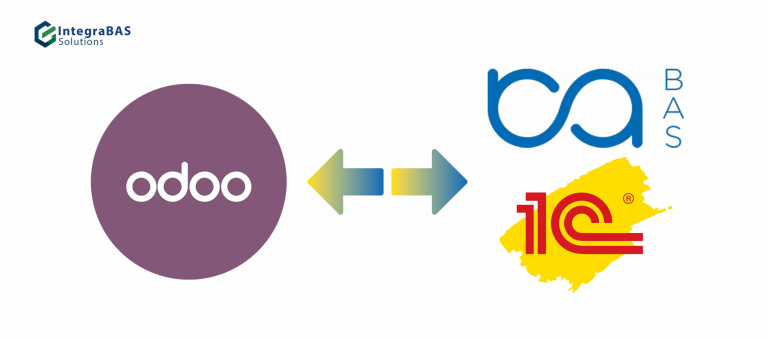
Accounting stays in BAS or 1C, while Odoo receives partners and their debts on a schedule. The connection works through an API and an access key, with no manual re-entry.
When Odoo and BAS Must Work with the Same Customers
Odoo is often used as a CRM or a tool for managers, while accounting stays in BAS or 1C. The problem appears when customers exist separately in the two systems: a manager in Odoo does not see how much a customer owes, and accounting does not know which partners are already in Odoo.
The integration links them through a unique partner key and transfers the needed data to Odoo automatically, only for the customers you have marked for exchange.
Exchange Logic Step by Step
Step 1. Unique partner key
When a partner is saved in BAS, the unique key field is checked. If it is empty, it is filled in automatically with the partner's identifier. This key can be copied into another database to link partners across databases.
Step 2. Marking who to transfer
For a partner to reach Odoo, the "Export to Odoo" flag is turned on in their card and the item is saved. After a successful transfer, the "Sent to Odoo" flag is set automatically.
Step 3. Creating and updating
A create request is made for new partners and an update request for those already sent. The name, phones, email, region and the identifier from BAS are transferred.
Step 4. Brands and regions
A list of active brands is received from Odoo and matched with organizations in accounting. The directory of business regions is sent to Odoo together with an activity flag.
Step 5. Accounts receivable on a schedule
A scheduled job calculates customer debts by organization and sends them to Odoo. Only partners with the "Sent to Odoo" flag are included. The amount is calculated as the customer's debt minus our debt to them.
Solution Components
A separate module with functions for receiving brands, creating and updating partners, and sending regions and accounts receivable.
The API key is stored in a database constant.
A unique key, the "Export to Odoo" flag and the "Sent to Odoo" flag.
Automatic export of accounts receivable on a schedule.
The module has small differences for the main and secondary databases, which we take into account for your setup.
How Implementation Works
First we determine which data must go to Odoo: partners, regions, brands, debts. Then we agree on the rules – who counts as ready to send and how to match organizations with brands.
- We configure the exchange module and API access
- We add attributes to the partners directory
- We run a test transfer on a limited list of customers
- We enable the scheduled job and monitor the first cycles
What Our Approach Is Based On
FAQ
Describe which data must go from BAS or 1C to Odoo and whether accounts receivable is needed. We will propose an exchange scheme and calculate the cost.
1C and BAS Integration with Odoo: Syncing Partners and Receivables
Integrating 1C and BAS with Odoo lets you keep accounting in your familiar system while passing customers and their debts to Odoo. The exchange works through an API with an access key, and data is transferred automatically, without manual re-entry.
Partners and the unique key
Every partner gets a unique key that is filled in automatically and lets you link customers across different databases. For a partner to reach Odoo, it is enough to turn on the export flag and save the item. After a successful transfer, the system marks the partner as sent.
Regions, brands and accounts receivable
Besides partners, the exchange transfers the regions directory and works with brands that are matched to organizations. A scheduled job exports accounts receivable on a schedule only for sent partners, taking mutual settlements into account.
Describe in the request form on this page which data needs to be synchronized between BAS or 1C and Odoo, and we will propose an exchange scheme.