

Kanban Task Board Inside BAS KUP - a CRM Block in the Same Database as Your Accounting
Tasks, customer orders and commercial proposals are linked together, and each employee sees their own board right after the database starts – no separate CRM and no data exchange between systems.
When Tasks Live in Chats and Orders Live in the Accounting System
In companies that keep records in BAS KUP, work on an order is often spread across several places. The customer order is in accounting, agreements are in a messenger, tasks for staff are in a spreadsheet or a separate tracker. A manager cannot see the stage of a project, and an employee has to piece the picture together from three sources.
A CRM block inside BAS KUP closes this gap. A task is created directly from a customer order or commercial proposal, the assignee sees it on their board, and the whole history of work stays in the document.
What the Kanban Board for BAS KUP Includes
Columns configured by the user
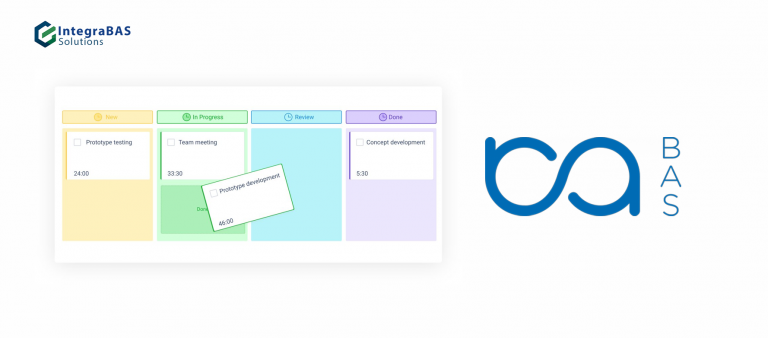
The number and names of columns are dynamic. The task status equals the column name, so everyone builds the board around their own process. Columns can be moved to any free place, and their height adapts to the number of tasks with scrolling.
Drag and drop between columns
Move a card to another column and the status changes automatically.
Images in tasks
An image added via "+Files" or pasted from the clipboard (Ctrl+V) is shown on the card on the board and in the task list.
Task card
Description, technical characteristics (fields are configured like additional attributes), attachments and a "Development task" block in the form of a questionnaire. A task can have several statuses at once, visible both in the card and on the board.
Delegation
The "Reassign task" command changes the assignee automatically and adds a comment recording who passed the task to whom.
Questionnaire in a task
A separate tab for a dynamic survey within the task.
Who Sees What
After the database starts, the board with their own tasks opens. It can be embedded in the start page.
In the settings you can grant access to view tasks of other users and specific departments. A separate structure catalog created specifically for the kanban is used for this.
The "All tasks" command is available only to those who have been granted this access and shows the full picture across all assignees.
Tasks Linked to Orders and Customers
A task can be created separately or based on the documents "Customer order", "Supplier order" or "Commercial proposal". A link to the document is stored in the "Subject" field.
An order or commercial proposal shows all work on the project - every assignee, deadlines, overdue items, with date filters.
All tasks of a customer are collected in their card.
How Implementation Works
We start by reviewing how work on an order is currently handled: which stages a project goes through, who takes part and where information gets lost. On that basis we agree on a technical specification – the set of columns, card fields, access rules and the documents tasks are created from.
- We develop the “Task board” data processor and the “Task” object in your configuration
- We configure roles and access for assignees and managers
- We test on your real orders
- We launch it into operation
What Our Approach Is Based On
FAQ
Describe which stages a project goes through and who takes part. We will suggest how it could look on a kanban board and calculate the cost.
Kanban Board for BAS KUP: Task Management in the Same Database as Accounting
The task board in BAS KUP is an automated workplace that shows the tasks of the user who started the database and lets a manager see the tasks of departments and all assignees. Such a kanban board for 1C and BAS replaces a separate tracker where tasks are tied to customer orders and commercial proposals.
Tasks as accounting documents
A task is created as a document in the posted state. It can be created separately or based on a customer order, supplier order or commercial proposal. The document gets a “Task history” tab with all assignees, deadlines and overdue items, and the customer card shows all related tasks. This is a built-in CRM for 1C and BAS without a separate system.
Dynamic columns and statuses
Users define the number and names of columns, rearrange them and drag tasks between them. The task status equals the column name, so the board reflects the team’s real process. Images added to a task are shown right on the card.
Roles, access and delegation
An assignee sees their own tasks, a department head sees tasks according to granted access, and the “All tasks” command is available only to assigned users. Reassigning a task automatically changes the assignee and leaves a record in the comment.
Describe how you handle work on orders in the request form on this page, and we will propose a board structure and calculate the cost.