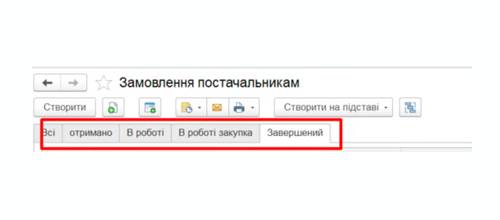


Displaying images in BAS / 1C forms
The standard BAS forms do not display product images-managers are forced to open the product card separately or work without seeing the product. We are refining the configuration so that the image appears right where it’s needed: in the document, in the list, or when selecting an item. Quickly, without unnecessary clicks.
What is included in the revision
Three ready-made templates-choose the one that fits your needs:
1. Image in document format: When switching between product items, the image updates automatically. The manager sees the photo right in the packing slip or order—no need to navigate anywhere else.
2. View photos when selecting a product: Open the product list-the image appears right next to it. This is convenient where visual identification is important: clothing, spare parts, building materials.
3. Images + stock levels + prices in list form. A compact view-in a single window, you can see the product photo, how much is in stock, and the price. Speeds up selection and reduces errors during order processing.

Estimated cost: upon request
When it really helps
Why choose us
A customized solution-we’ll review your database and tailor the image output to fit your specific workflow and logic.
All changes are made carefully: the standard BAS/1C functionality remains unchanged, and configuration updates will not overwrite the modifications.
We’ll show you how to use it and answer any questions. If anything goes wrong after launch, we’ll figure it out.
The price is agreed upon before work begins. No “it turned out later”-you pay exactly what we agreed upon.
Frequently Asked Questions
Displaying Images in BAS/1C – More on Customization
Most standard BAS and 1C configurations do not support displaying images directly in work forms. Product images are stored in the database, but viewing them in a document or product list without extra steps is not possible: you have to open the product card separately, switch between windows, and waste time. This seems like a minor issue until you calculate how many times a day each manager does this.
We specialize in customizing BAS/1C for specific business needs, and requests to display images in forms are among the most common. The reason is simple: visual identification of a product is faster than text-based identification. This is especially noticeable in companies where the product catalog consists of thousands of items, and the names are similar to one another. Clothing, footwear, spare parts, building materials, electronics-anywhere where appearance matters during selection, an image in a form reduces errors and speeds up the process.
How it works technically
The customization is implemented using the platform’s built-in mechanisms-without third-party components and without changing the standard configuration logic. The image is linked to the product catalog in the standard way: via the product card or an external storage system. Next, a display element is added to the relevant form, which reads the image and displays it in the specified location.
When customizing a document form-such as a customer order or a delivery note-the image updates automatically every time you switch between rows in the table section. This requires no action from the user: select an item, and the photo appears. If there are multiple images for a single product in the database, you can configure the display of the main image or implement switching between them.
In the product selection form, the logic is slightly different: the image is displayed next to the product list and changes as the cursor moves across the rows. This is especially convenient when placing orders in real time-the customer or manager immediately sees exactly what is being selected.
An expanded view is implemented for the list form: a product thumbnail, current stock balance, and price are displayed in a single window. This option reduces the number of window switches and makes working with the product catalog significantly faster.
Compatibility and Implementation Features
This enhancement is applicable to most current BAS configurations-retail, enterprise management, and accounting. We work with both managed forms (modern interface) and standard forms in older solutions. If you use a configuration on the 1C 7.7 platform or work with printed forms on an older database, the task is solvable but requires separate discussion, as it involves specific implementation details.
Before starting work, we always review your specific database: what configuration it uses, whether it’s a standard one or has already been customized, how images are stored, and how frequently it’s updated. This is important because the same solution may require a different approach on different databases. There’s nothing to worry about-we simply don’t want to promise one thing and end up doing another.
After implementation, we always test with real data: we check how the form behaves with a large number of items, whether images load correctly, and if there are any slowdowns when opening documents. If the images are large, we recommend optimization to ensure performance doesn’t suffer.
Why you should do this now
It’s a one-time setup. Set it up once-it just works from there. The cost is fixed, and implementation typically takes within one business day after the task is agreed upon. No subscription fees, no hidden surcharges for “reworking the rework.”
We work with Ukrainian companies of all sizes-from small shops to manufacturing enterprises. Over the years working with BAS/1C, we’ve seen a wide range of configurations and non-standard situations. So if a task seems complex at first glance, chances are we’ve already encountered something similar.
If you need a screenshot of a BAS or 1C form, describe the task in the form above. We’ll clarify the details, review your database, and provide an exact quote.